Report clearly
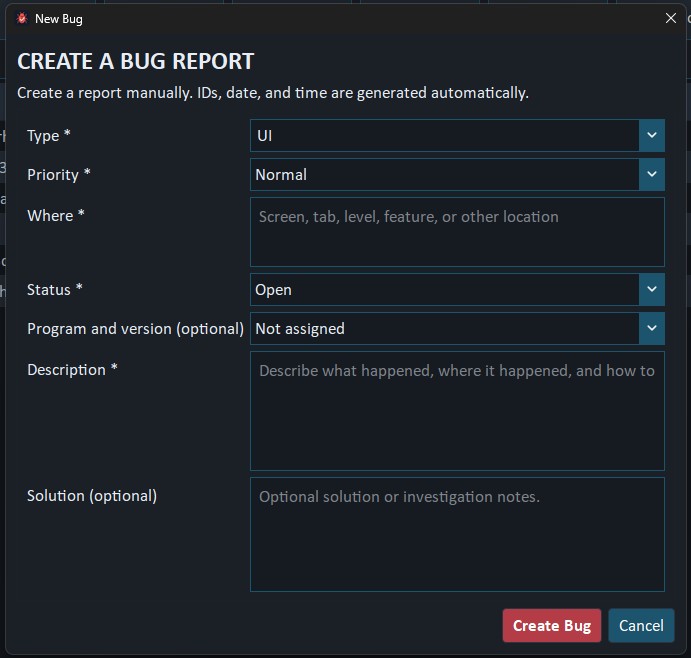
Record where a problem occurred, what happened, its priority and the operating system involved.
Windows desktop utility
Buglume keeps reports, priorities, solutions, attachments, versions and ticket numbers together in a focused desktop workspace.
Version 1.0.0 · Windows 10 and Windows 11 · 64-bit
 Buglume
Created by Jos den Hertog
Buglume
Created by Jos den Hertog
Made for real project work
Buglume combines clear reporting, searchable project context and safe local storage without requiring an online account.
Record where a problem occurred, what happened, its priority and the operating system involved.
Search, filter and sort reports while automatic IDs and ticket numbers keep every record distinct.
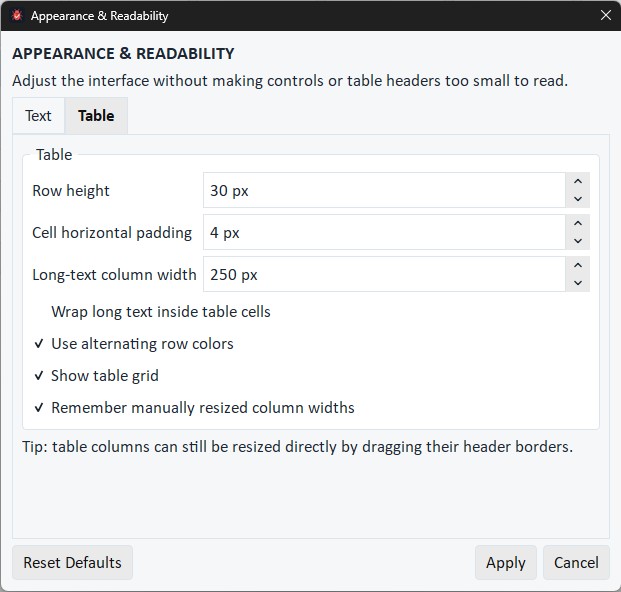
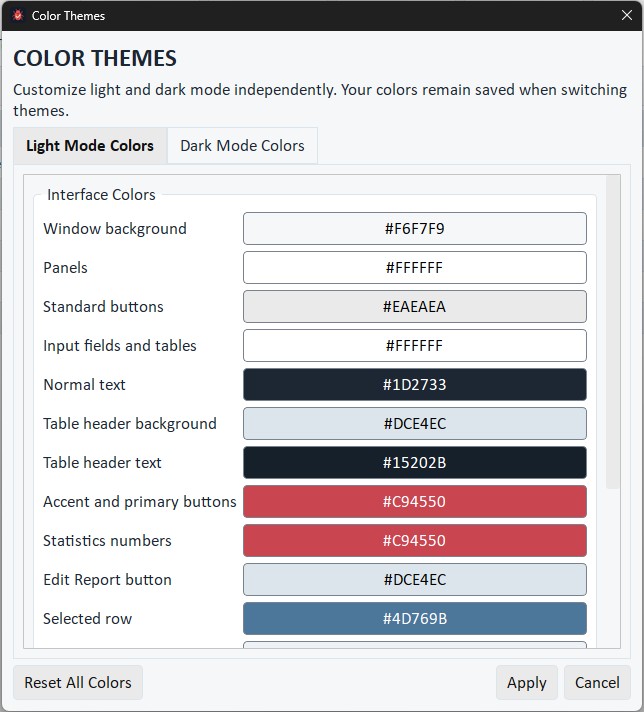
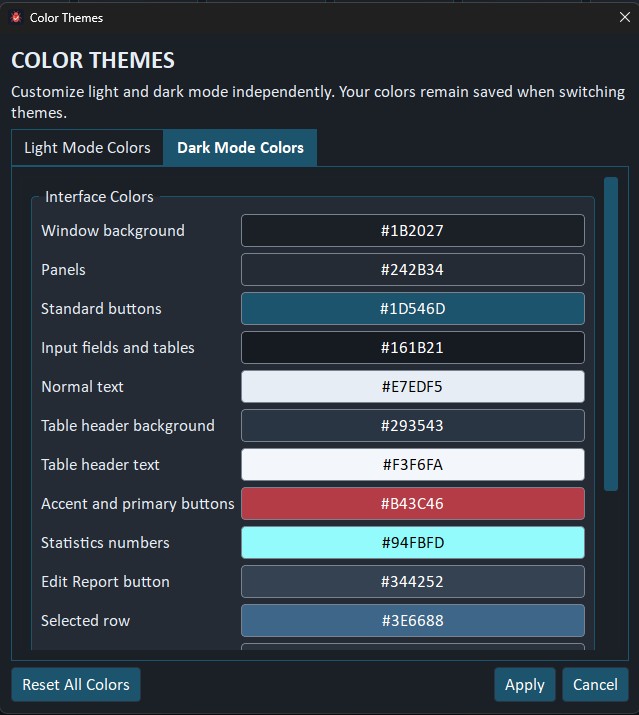
Save column widths, panel layout, text sizes and separate Light and Dark Mode colors.
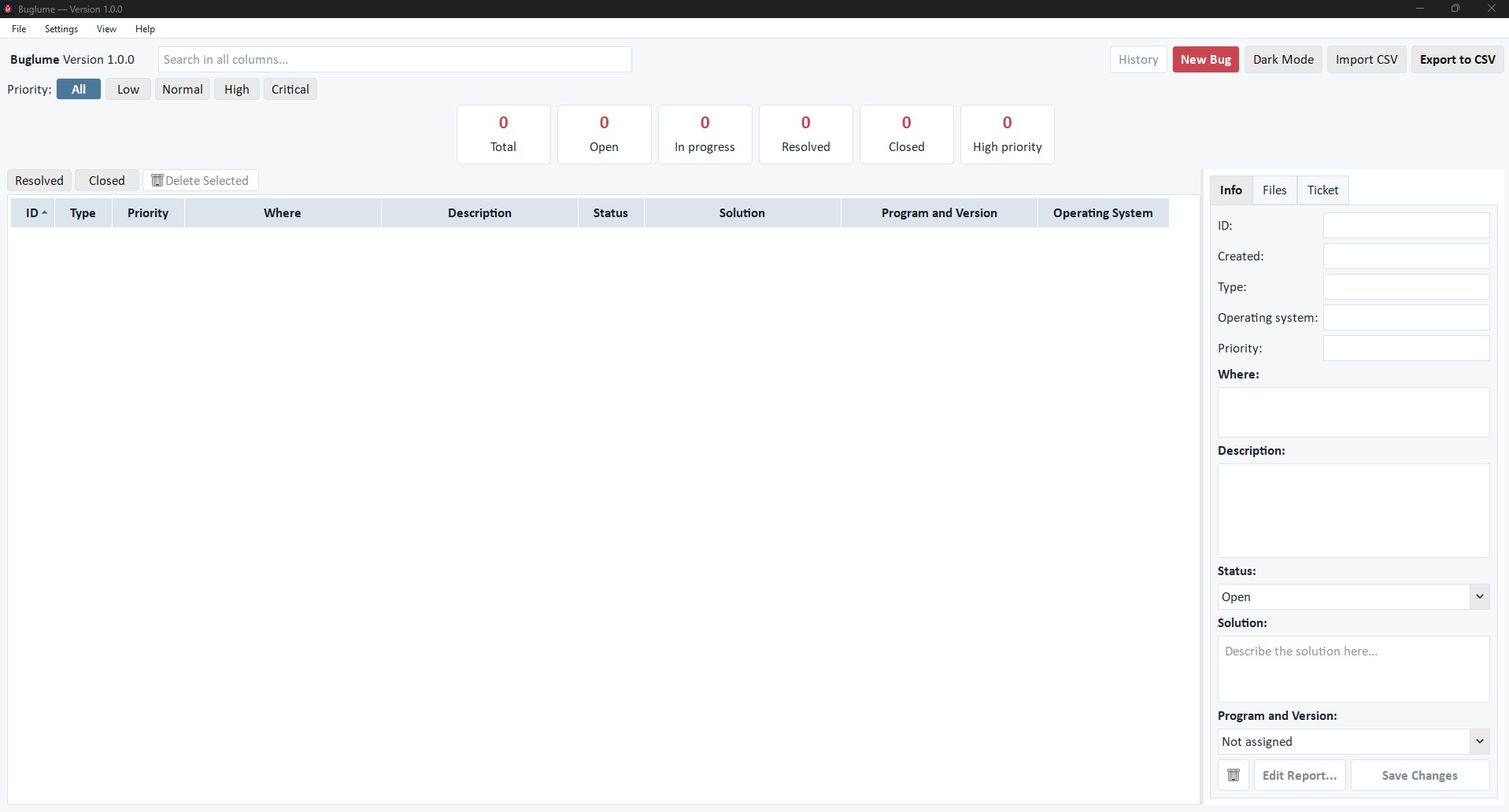
The workspace
The main workspace keeps filters, statistics, reports and details accessible without hiding the report list.
Report workflow
Required fields keep reports useful, while optional program, version, system, solution and attachment details can be added when available.
Personalization
Interface text, tables and both color themes can be configured independently.
Project context
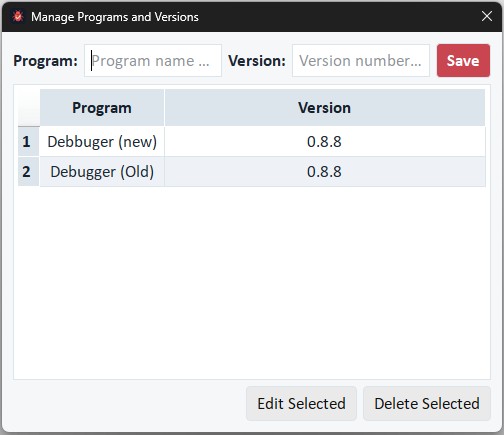
Manage programs and versions, then share a unique ticket number without exposing it as another crowded table column.
What it handles
Designed for software, games, tools and other projects without tying reports to one specific product.
Downloads
The portable version is currently recommended. It runs without installation and keeps its data inside its own folder.
Extract the complete archive and run Buglume without installation. Keep every included file and folder together.
Installs Buglume for your Windows account, adds a Start menu shortcut and can optionally create a desktop shortcut.
Verify your download
Compare the checksum after downloading to confirm that the file arrived unchanged.
4C28D95E700D32D32D79441BE4B218A8422B074DDA9A192ABEA32EFCB843813E0901DFCCF22F507EDC062B41E7C759CE67A70B9604F5AE665CA208F286FD7DEDBefore installing
This early release is not digitally code-signed yet, so Windows may display a reputation warning. Code signing is planned for a future release. Until then, only download Buglume from Novalirium and compare its SHA-256 checksum with the value shown on this page.
Open source
You are free to use, copy, modify and distribute Buglume, subject to the terms of the MIT License.
Copyright © 2026 Jos den Hertog.
Download the full license